


Quick answer: Offline conversion duplicate imports require checking event identity before sending another upload. DispoKey recommends three separate questions: was the row accepted, was the event attributed and does it represent one genuine business outcome? Preserve identifiers and timestamps; correct an existing conversion through the supported adjustment process rather than manufacturing a new event.
- Keep the original event identifier and conversion time.
- Read row-level errors and attribution diagnostics separately.
- Distinguish a retry from a correction or a new outcome.
A successful upload can still leave a marketer wondering where the conversion went. The tempting response is to submit it again with a new timestamp. That can turn a diagnosis problem into a counting problem. This guide owns the narrow import workflow: identity, errors, attribution and corrections. For business acquisition economics, use cost-per-contract analysis; an import acknowledgement does not establish a signed contract.
Identify the business event before diagnosing an import
Define what happened in the business and which conversion action represents it. A form submission, qualified lead and signed contract are different events, even when they belong to one person.
Record the internal event identifier, genuine event timestamp, intended action and import method. Use the same identity when retrying the same outcome. Do not create a second contract event because a lead became qualified, or overwrite a qualified-lead event to make the reporting line look cleaner. Your naming convention should make those distinctions readable to the person reconciling the account.
Does an accepted offline upload prove the conversion was attributed?
No. The official troubleshooting guidance explicitly separates successful import responses from attribution. Use the available diagnostics to investigate rather than inferring campaign credit from acceptance alone. [2]
An accepted request can also contain row-level information that needs inspection. Save the result with the original batch and preserve any error details. Report “accepted, attribution unconfirmed” when that is what you know. It is more useful than claiming a successful campaign outcome simply because the transport worked.
Check identity before reuploading
Compare the identifiers and conversion information used for the original event and the proposed retry. Duplicate handling depends on the actual import method and event fields. [1]
Open the duplicate-import review checklist
- Is this the same business outcome?
- Are the event identity and original timestamp unchanged?
- Which conversion action received it?
- What did the original row-level response say?
- Is this a retry, an adjustment or genuinely new activity?
The platform's import guidelines describe duplicate handling for matching identifiers and conversion information. Do not assume every similar-looking row is a duplicate or that a new identifier makes a repeated business outcome legitimate. Track identifiers such as the click ID, order ID and conversion timestamp only where the chosen method requires them, under appropriate consent and data-handling controls.
| Finding | Next action | Avoid |
|---|---|---|
| Same event, failed import | Diagnose and retry with stable identity | New timestamp to bypass the error |
| Accepted, attribution unclear | Inspect offline diagnostics | Treat acceptance as campaign credit |
| Existing event needs correction | Supported adjustment workflow | Upload another outcome |
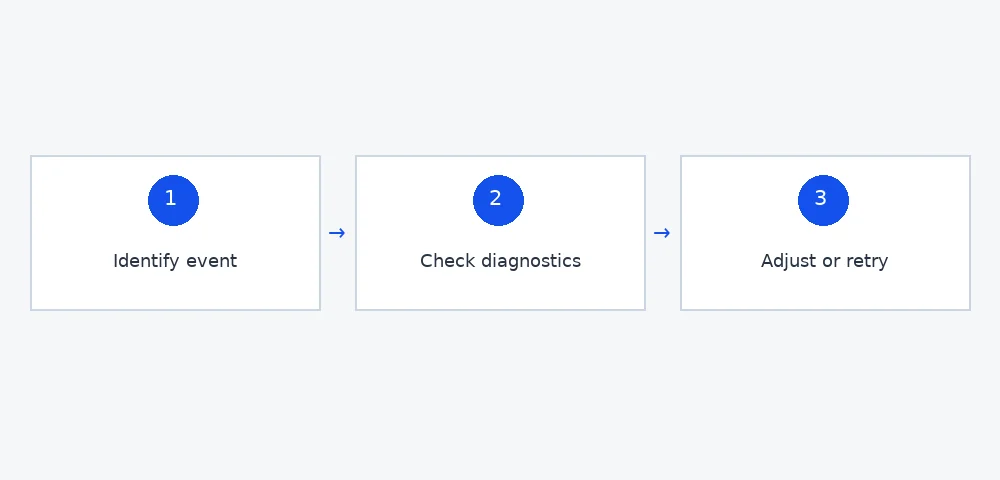
Read errors before reconciling reporting totals
A batch total is not a substitute for row-level import results. Identify which events were accepted, rejected or still unresolved before comparing dashboard numbers.
Group errors by cause rather than retrying every row. A missing field, incompatible action or identity conflict needs different treatment from a transient delivery problem. Use the exact documentation for your file upload or API integration; rules from one method should not be casually applied to another. Save the original input privately and retain a non-sensitive reconciliation summary for operational review.
Also compare the reporting basis. Event time, import time and attribution reporting can describe different dates. Use the relevant platform columns and documented behavior instead of assuming every report assigns activity to the upload date. When you cannot establish the basis, label the discrepancy unresolved rather than shifting timestamps until totals happen to agree.
Use adjustments for corrections, not invented new events
A correction to an existing conversion is different from a new conversion. The official adjustment guidance describes identifying the existing event and keeping adjustments separate from new uploads. [3]
Confirm whether the change is a retraction, a value restatement or another supported action for your implementation. Keep an audit note explaining the actual business reason. If a contract was recorded in error, creating a second negative or positive event without understanding the supported workflow can obscure the history. Ask the implementation owner to validate the proper correction method before sending it.
Why keep an order ID or event identifier stable?
A stable identifier connects the business outcome to its import and any permitted adjustment. Changing identity during a retry makes it harder to prove whether two rows describe one event.
Use an internal identifier that does not expose a homeowner's name, address or contact information unnecessarily. Assign ownership for generating it and documenting the association. If the platform supports an order ID for the relevant adjustment path, verify how that identifier is used. Do not infer that the same field is optional, required or equivalent across every import method.
A worked reconciliation example with unresolved rows
Count genuine outcomes separately from upload attempts. The following figures are invented to demonstrate reconciliation, not actual Growth Lab performance.
Suppose the internal system records ten qualified leads. The import log contains twelve attempts because two events were retried. Eight unique events show accepted results, one has a validation error and one remains unresolved. The useful business total is ten, not twelve attempts. The accepted total is eight, not a claim that eight outcomes were attributed. Check the two unresolved outcomes through their own error and diagnostic records.
If diagnostics later confirm attribution for six accepted events, document six confirmed, two accepted but unconfirmed, one validation failure and one unresolved attempt. Do not force the campaign report to equal the internal total by manufacturing new rows. This four-state ledger gives the team a specific investigation queue while preserving honest reporting.
Keep test records and private data out of production outcomes
Test submissions do not represent real qualified leads or contracts. Keep them marked and excluded from the production conversion workflow.
Before uploading, check the outcome's test marker, authorization and required data fields. Restrict access to the original input; a shared troubleshooting screenshot does not need personal contact details or sensitive identifiers. Consent requirements and permitted matching methods deserve qualified privacy review. This article describes operational reconciliation, not permission to transmit every field captured by a form.
When DispoKey may not be your best option
If you lack a budget for at least three months of advertising or cannot reliably distinguish real outcomes from tests, fix that foundation before adding managed acquisition spending.
Growth Lab costs $1,500/mo; clients own every lead and contract, and DispoKey disposition is an optional safety net. No lead-count or ROI guarantee is offered. Discuss your reporting arrangement through the existing inquiry flow, not an invented direct scheduler. Review negative-keyword governance and speed-to-lead operations for adjacent decisions, with resources supporting the workflow.
Key takeaways
Preserve event identity, distinguish acceptance from attribution and use the supported correction path. Reconcile business outcomes, unique events and attempts separately. A useful report can contain unresolved rows; it should never contain invented contracts created to make two dashboards agree.