

Quick answer: Real estate video marketing helps investors earn seller trust before the first call. Post short explainers, process walkthroughs and honest Q&A on YouTube, your Google Business Profile and your site, with captions and licensed music, and track leads by source. Growth Lab builds the full plan for $1,500/mo, and you own every lead.
- Answer real seller questions on camera in under two minutes.
- Caption every video and use music you have rights to.
- Track video leads separately so you can judge results.
Why video works for investor marketing
Sellers want to know who they are dealing with before they share an address. A short video of a real person explaining the process builds trust faster than text alone.
Video also feeds other channels. One recording can become a YouTube video, a short clip for social, a website section and a retargeting ad; see our guide to retargeting ads.
What videos should real estate investors make?
Start with the questions sellers ask on the phone.
- How the process works: from first call to closing.
- How offers are calculated: in plain terms, with a labeled example.
- Situation explainers: inherited homes, tenants, major repairs.
- Who you are: a short team introduction filmed where you work.
- Common myths: honest answers without pressure.
Keep most videos between one and three minutes.
Where to post real estate videos
Post where sellers already look. YouTube is searchable and lets you add captions. Google lets businesses add videos to their Business Profile. Your landing pages can embed short clips near the form.
Write a clear title and description for each video using the words sellers search, which also supports investor SEO.
Captions and accessibility
Add captions to every video. Many people watch with the sound off, and captions help viewers who are deaf or hard of hearing.
YouTube lets you upload or edit captions, and the W3C's accessibility guidance explains how to write accurate captions. Check auto-generated captions before you publish; they often misspell street names and legal terms.
Music rights and honest claims
Use only music you have rights to. YouTube explains that copyrighted material in your video can lead to claims or removal.
Keep claims accurate. Do not promise a price, a closing date before you see the home, or results you cannot show. Label examples as examples, and follow fair housing rules in who you target and what you say.
How to film good video on a budget
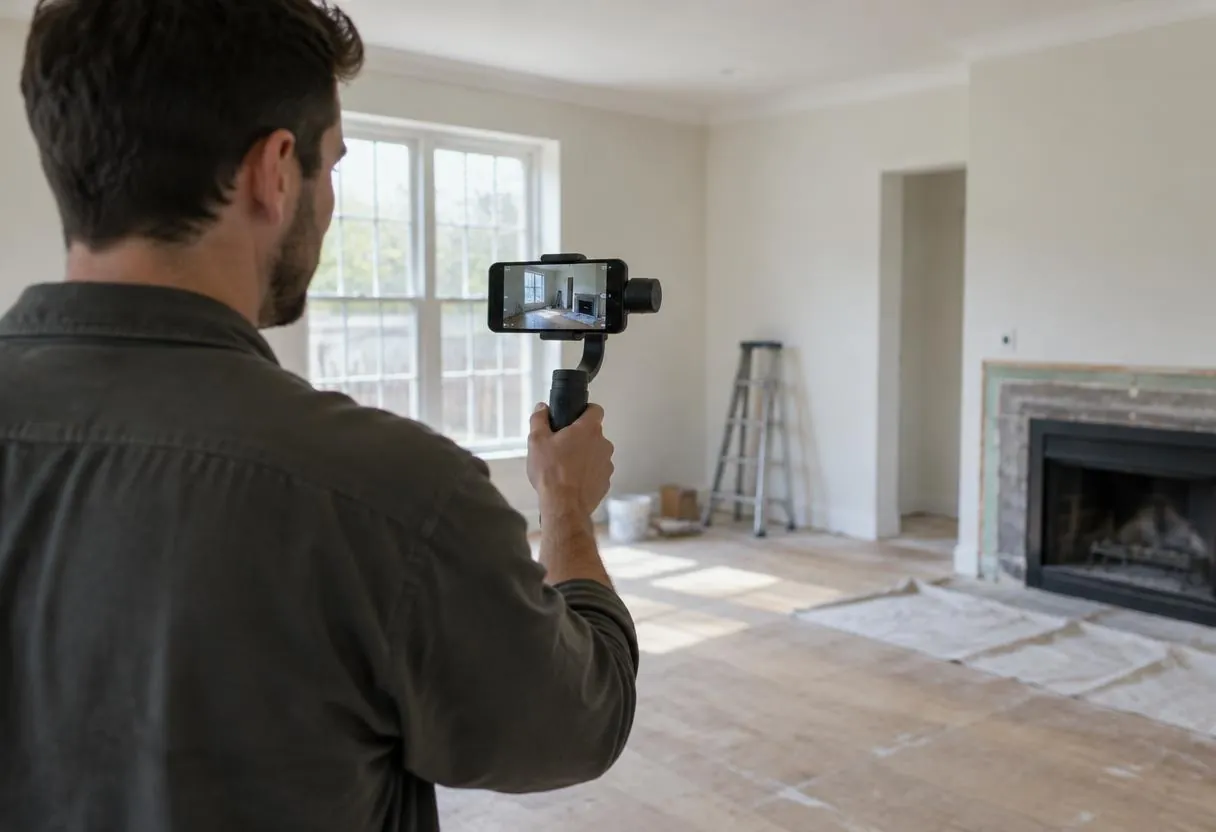
A recent phone, a small microphone and daylight are enough. Film in a quiet room, keep the camera at eye level and speak to one seller, not a crowd.
Batch-record several videos in one session, then edit for length. Plan one recording day per month and post weekly.
A simple script for seller videos
Most good seller videos follow the same short pattern.
- The question: say the seller's question in their words, such as "Can I sell a house with tenants?"
- The short answer: one or two plain sentences.
- The steps: three points with a labeled example.
- The next step: where to learn more or ask a question, without pressure.
Write the script, then speak it naturally instead of reading word for word. Film a few takes and keep the clearest one.
Repurpose each recording
Cut a 30-second clip for social, pull a still for the thumbnail and turn the transcript into a short page section. One recording can supply a week of posts. Keep a simple list of videos, topics and links so you do not repeat yourself and can update older videos when your process changes.
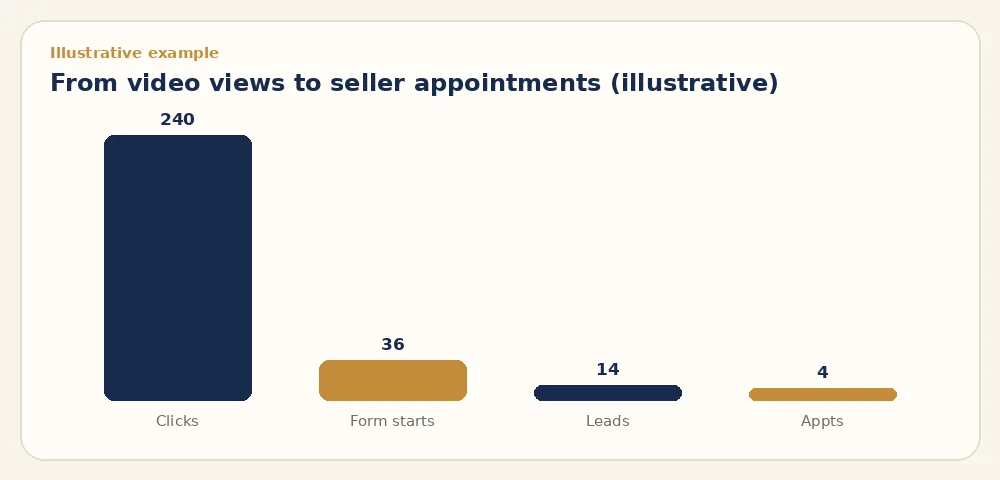
| Month one (illustrative example) | Count |
|---|---|
| Video views across channels | 6,000 |
| Clicks to the website | 240 |
| Form starts | 36 |
| Leads submitted | 14 |
| Appointments | 4 |
Common video marketing mistakes
Avoid long intros, stock footage with no people, and videos that only say "we buy houses." Sellers want to see who you are and how you work. Do not stop after a few posts either; video builds trust over months, so plan a steady schedule you can keep.
How to measure video marketing
Count leads, not views. Use UTM tags on video links, a separate tracking number in descriptions and a source field in your CRM.
The illustrative example in this guide shows how views turn into leads over one month. Compare cost per lead with other channels in your marketing budget.
How to fit videos to each channel
Shape each cut to where it will play. Search videos on YouTube can run two to five minutes with a clear title that matches the question. Short social clips should make the point in the first three seconds and work without sound. Videos on your site should sit near the form and stay under a minute so they do not slow the page or distract from the next step. Upload site videos to a host and embed them rather than loading a large file directly, which keeps pages fast on phones.
Video marketing with Growth Lab
Growth Lab plans, scripts and distributes investor video alongside search and paid ads for $1,500/mo. You own every lead and contract, and DispoKey disposition is optional. We do not guarantee lead counts or ROI. See Growth Lab.
When Growth Lab may not be your best option
If you cannot commit three or more months of budget, or you prefer to film and post everything yourself, start with a simple in-house plan. Growth Lab fits investors who want a full system run for them.
Key takeaways
- Short, honest videos build seller trust before the first call.
- Post on YouTube, your Business Profile and your site.
- Caption every video and use licensed music.
- Measure leads and cost per lead, not views.
Frequently asked questions
What videos should a real estate investor make?
Process walkthroughs, offer explanations, situation explainers and a short team introduction.
How long should real estate marketing videos be?
Most work best between one and three minutes, with the answer in the first few seconds.
Do I need captions on my videos?
Captions help viewers who watch muted and those who are deaf or hard of hearing. YouTube supports them.
Does Growth Lab guarantee leads from video?
No. Growth Lab costs $1,500/mo, you own every lead, and results depend on your market.
Official references
- YouTube Help: Add subtitles and captions
- YouTube Help: Copyright on YouTube
- Google Business Profile Help: Photos and videos
- W3C WAI: Captions and subtitles